Avaz AAC
- 3.4
- Rating
- 100.00K
- Installs
- Free
- Price

 Analysis by App-foxy
Communication tools are judged differently from ordinary education apps. If a lesson takes a moment to load, that is usually a minor annoyance; if an AAC tool becomes difficult to use at the moment someone needs to express a request, answer a question, or make a choice, the inconvenience is much more serious. That is why I approached Avaz AAC as a practical communication aid rather than simply another learning download. It is an education app from Avaz, LLC, designed around augmentative and alternative communication, with customizable communication choices, expressive voice tones, and support for more than one language.
My overall impression is that its value depends less on flashy presentation and more on how carefully a family, teacher, or therapist prepares it for one particular person. The app can become much more useful when its vocabulary reflects real routines instead of remaining a general collection of words. At the same time, that preparation creates a learning curve, and the experience is closely tied to the mobile device and the conditions in which it is being used. I would recommend trying it thoughtfully, especially if personalization and multilingual communication matter, but I would not treat it as a tool that can be handed over without setup.
How Avaz AAC fits into everyday communication
At its core, this is an AAC app: a person selects symbols or words, and the app turns those selections into spoken communication. That makes it relevant for people who cannot rely on speech alone, whether the need is consistent or changes from situation to situation. The important distinction is that it is not primarily a course with a fixed sequence of exercises. Its usefulness comes from making communication available in a form that can be shaped around the user.
You May Also Like

 Blood Strike: 2.5 Anniversary
Blood Strike’s Loadouts Turn Every Drop Into a Tactical Gamble
A close look at Blood Strike’s custom loadouts: how fast access to signature weapons reshapes its battle royale rhythm, rewards preparation, and narrows the gap between fights.

 Pandora - Music & Podcasts
Pandora’s Music Is Easy to Start, but Harder to Recover
Pandora’s strength is its low-effort path from a seed to a station. Its weak spot is how much confidence it asks you to place in connection, setup, and quiet recovery.

 8 Ball Pool
 Is Built on Rivalries, Rematches, and Routine
A close look at the rivalries, rematches, shared routines, and unanswered safety questions that turn a quick pool match into a persistent mobile community.

 Samsung Music
’s Quiet Strength Is Playing What You Already Own
Its reach comes less from spectacle than from dependable access to a personal library. That simplicity is both the app’s strongest retention engine and its ceiling.

 AccuWeather: Weather Radar
AccuWeather Review: A Quick, Clear Forecast for Everyday Decisions
For everyday plans, the best forecast is the one you can understand quickly. AccuWeather makes rain timing, radar, and local conditions easy to act on, with a few trade-offs.

 Hill Climb Racing
Why Hill Climb Racing Still Turns Crashes Into One More Run
A tiny car, a bumpy hill and one more upgrade: Hill Climb Racing keeps resurfacing because its simple chaos makes every near-miss feel personal.
More From Our News Desk



I found the idea of customization particularly important. A generic board may contain many possible words, but a useful board needs to make the right words easy to reach. A child asking for a drink, a student answering during class, or an adult explaining discomfort may all need very different arrangements. Avaz AAC is more convincing when treated as a personal communication environment rather than a universal template.
The voice options also matter more than they might appear at first. A flat or unsuitable voice can make communication feel distant, especially when the user is expressing humor, excitement, frustration, or affection. Expressive voice tones give the output a better chance of matching the intended feeling. They do not replace natural speech, of course, but they can make selected messages sound less mechanical and more personal.
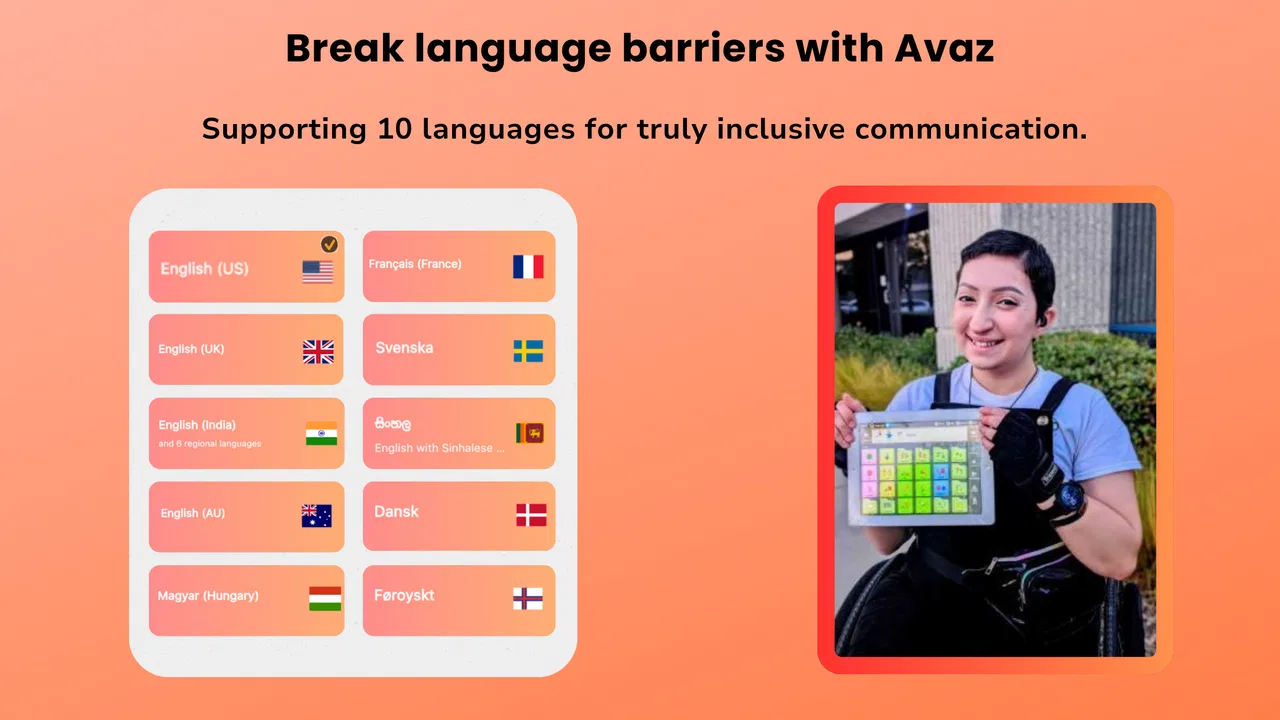
The multilingual support is another practical strength. For a bilingual household, language is not an optional extra; it can determine whether a person can communicate comfortably with relatives, teachers, and caregivers. Switching between languages may still require planning so that the most important vocabulary is available in the right place, but the broader language support makes the app more suitable for families whose daily communication does not happen in only one language.
Personalization is the real work
The first setup should be approached like building a small communication map. I would begin with immediate needs: food, drink, bathroom, pain, help, yes, no, stop, more, finished, and the names of people who appear every day. Only after those are easy to find would I add less urgent vocabulary. This is one of the most useful lessons I took from using a customizable AAC design: a larger vocabulary is not automatically a better vocabulary if it slows down access to essential messages.
A good arrangement should also reflect the person’s motor and visual needs. Large, clearly separated choices may be more valuable than fitting many items on one screen. Someone who already knows what they want to say but struggles to select a small target needs a different layout from a confident reader who wants quick access to a broad vocabulary. I would make changes gradually and observe whether the user reaches messages more easily, rather than reorganizing everything at once.
Another practical tip is to build pages around routines, not only word categories. A morning page might bring together clothes, breakfast, medication, and leaving the house. A school page could prioritize classroom participation, breaks, materials, and asking for clarification. This reduces the mental work of searching through unrelated groups. It also gives caregivers a clearer way to notice which vocabulary is missing from real life.
There is a trade-off here. Customization can make the app feel personal, but it also means someone must maintain it. New interests, changing school subjects, different caregivers, and developing communication skills all create reasons to revise the setup. Families looking for an instant, ready-made solution may find this effort frustrating. Families willing to treat the app as an evolving tool are more likely to see its strengths.
What happens when connectivity enters the picture
Connectivity shapes the experience in several ways, even before a user actively thinks about the network. Any app that relies on current device behavior, voice output, language resources, or changes to its configuration should be prepared in a calm setting rather than for the first time during an important conversation. I would set up and test the communication pages before leaving home, then repeat a few common selections in the places where the app will actually be used.
I would not assume that every part of the experience behaves identically when a connection is unavailable. Instead, I would test the exact vocabulary, voice choices, and language combinations that matter to the user, using the same device and settings intended for daily use. This is especially important for families who travel, spend time in large buildings, or move between home, school, therapy, and public spaces. A communication tool should never be evaluated only from a comfortable room with a reliable connection.
That testing can reveal a more subtle issue: connectivity is not only about whether the app opens. A weak or changing connection may affect setup tasks, updates, or access to resources differently from ordinary navigation. The safest habit is to prepare the device ahead of time and avoid making major changes immediately before an appointment or outing. I would also keep a simple backup method available, such as a small printed set of essential messages or another agreed communication routine. That is not a criticism unique to this app; it is sensible planning for any digital AAC system.
There is also a social side to network-dependent moments. When a user is waiting for an app action while another person is asking a question, the delay can be mistaken for hesitation or refusal. Caregivers and communication partners should allow time and avoid speaking over the user. If a screen takes longer than expected, the partner can acknowledge the pause rather than rushing to answer on the person’s behalf. The quality of communication depends on the surrounding people as much as on the interface.
Using it on the move
Mobile use is where the design has to prove itself. At home, a caregiver can help locate a message or adjust the device position. On a bus, in a noisy shop, or during a busy school transition, the user may have less time and less physical stability. I would use a case or mounting arrangement suited to the device, keep the screen at a comfortable angle, and make sure the most important messages are reachable without a long search.
A realistic example would be a child arriving at school after a disrupted morning. Instead of opening a broad vocabulary area, the child needs quick access to “I am tired,” “I need a break,” “I forgot something,” or “help.” If those messages are buried among many choices, the app may technically contain the right communication but still fail in practice. A routine-based page and a clear emergency or comfort group can make a larger difference than adding hundreds of extra terms.
In a café or shop, background noise introduces another challenge. Even when the app produces speech correctly, the listener may not hear it clearly. I would encourage the user to combine voice output with showing the screen when possible. Large, familiar choices can help a communication partner understand the message without requiring repetition. The app supports expression, but it cannot control the environment, so a good workflow uses both sound and visual confirmation.
Multilingual use can become more complicated while traveling. A family may use one language at home, another at school, and a third with relatives or local services. Before a trip, I would identify which language is needed for each setting and place the most urgent phrases where they can be found quickly. Switching languages in the middle of a stressful interaction may be slower than using a carefully prepared page, so preparation matters more than simply having language support available.
Battery and device access are also part of mobile reliability. I would charge the device before long outings and avoid treating the phone or tablet as an ordinary entertainment screen that can be handed to someone else without thought. If the device is shared, separate habits and clear storage of the communication setup become important. Losing access to the familiar arrangement can be more disruptive than losing access to a casual app.
Recovery when something goes wrong
Everyday communication includes mistakes: an accidental tap, an unclear message, a page that is not where the user expects it, or a change made by another person. Recovery should therefore be part of training. I would practice a short sequence for correcting an error, returning to a familiar area, and expressing “not that” or “try again.” This gives the user more control and reduces dependence on a caregiver to repair every interaction.
Caregivers should also agree on what to do if the device becomes unavailable. A backup does not need to reproduce the entire vocabulary. A compact set of urgent needs, personal choices, medical concerns, and ways to request assistance is more realistic. The point is not to replace the app, but to prevent a technical interruption from removing all communication options.
Updates and configuration changes deserve a planned moment. Avaz AAC has a current version of 8.0.4, and keeping software current can be sensible, but I would not update immediately before school, travel, or an appointment. After any change, I would test the user’s most important messages, voice behavior, language selection, and personalized arrangement. A quick check can catch a problem before it matters.
It is equally important to distinguish an app problem from a communication-partner problem. If someone says, “The app is not working,” the issue may actually be that the listener is impatient, the volume is too low, or the user is searching for vocabulary that has not been added. Troubleshooting should begin with simple questions: Can the device respond to a selection? Is the intended page visible? Is the voice audible? Does the message represent what the user meant? This approach avoids changing settings unnecessarily.
The app’s age rating is Everyone, which makes it broadly approachable from a store perspective, but that does not mean every setup is equally suitable for every person. A young user may need an adult to create and maintain the vocabulary. An older learner may want more independence and a different visual organization. The rating describes general access, while the quality of the communication experience depends on thoughtful support.
Using mobile data carefully
Because this is a free app, the initial download is easy to consider, but the wider cost picture deserves attention. Optional in-app purchases range from $1.99 to $299.99 per item. I would explore the basic experience first, identify the exact feature or resource that solves a real need, and involve the person who manages the household budget before buying anything. For an AAC app, a purchase should be judged by communication benefit, not by the pressure to unlock everything immediately.
Data-conscious use is also about timing. I would handle setup, language preparation, and any resource changes while connected to a trusted network, then test the resulting arrangement in the conditions where it will be used. This avoids discovering during an outing that a needed part of the setup behaves differently away from home. I would not make assumptions about offline behavior; I would verify the specific workflow rather than relying on a general expectation that a mobile app will work the same everywhere.
Families with limited data should pay attention to when they make changes and should avoid unnecessary experimentation during travel. The most efficient approach is to prepare a small, dependable set of pages first, test them, and expand only when there is a clear communication reason. This also improves usability because the user is not forced to navigate a constantly changing system.
Privacy and device sharing deserve ordinary caution as well. Communication content can reveal routines, preferences, relationships, and health-related needs. I would use the device deliberately, keep access under the control of trusted people, and avoid leaving personal communication pages open in public. These are practical habits for any AAC tool, but customization makes them especially relevant because the app can become closely tied to one person’s daily life.
Who will benefit, and who should look elsewhere?
I think Avaz AAC is a strong candidate for someone who needs a customizable voice-based communication aid and whose supporters are prepared to invest time in setup. It is particularly appealing when expressive voice tones and multilingual communication are meaningful priorities. A family that wants to adapt vocabulary around home and school routines may get more from it than a family seeking a fixed, one-size-fits-all board.
I would be more cautious if the user needs a completely ready-to-use system with no ongoing organization. The app’s flexibility is also its responsibility: someone has to decide what appears first, keep important messages easy to reach, and test the arrangement after changes. If the user has very specific motor, visual, or access requirements, I would compare the app directly with specialist AAC options and, where possible, ask a speech-language professional to help evaluate the setup.
It may also be the wrong choice for someone who mainly wants language lessons, flashcards, or general educational games. Avaz AAC is not valuable because it teaches a conventional subject through a sequence of activities. Its purpose is communication access. Likewise, people who only need occasional text-to-speech may find a simpler tool more convenient, while users who need highly specialized hardware integration may prefer a dedicated communication system.
The rating sits at 3.4 from around 411 ratings, and the app has passed 100K+ installs. I read those figures as a reason to approach it with realistic expectations rather than as a final verdict. A communication app can work very well for one person after careful personalization and feel awkward for another whose access needs differ. The number of installations shows that it has reached a meaningful audience, but individual fit remains more important than popularity.
My connectivity verdict
Avaz AAC works best when connectivity is treated as one part of preparation, not as an invisible guarantee. I would configure it at home, test the exact messages and languages the user depends on, rehearse recovery from mistakes, and carry a modest backup for urgent communication. On the move, I would keep the device charged, make essential pages easy to reach, and remember that a noisy environment or impatient listener can create as much friction as a technical problem.
The app’s strongest qualities are its ability to be shaped around a person, its expressive voice approach, and its multilingual focus. Its main challenge is that meaningful customization takes time, while mobile conditions can expose weaknesses that are hidden during setup. The in-app purchase range also means families should make deliberate choices instead of assuming that every available option is necessary.
After looking at it as both an education app and a daily communication tool, I would recommend giving it a structured trial rather than making a quick yes-or-no decision. Build a small vocabulary for real routines, test it in quiet and busy places, involve the intended user in the choices, and check how the setup behaves when the connection is less dependable. The best result comes from matching the app to the person, not from filling the screen with every possible word.
Avaz AAC was released on November 22, 2018, supports devices running iOS 9 or later, and remains free to install. Those details make it easy to begin exploring, but the real decision is whether its customizable approach fits the user’s communication style and the caregiver’s willingness to maintain it. For the right household, it can become a practical voice for everyday choices and needs. For someone requiring a highly specialized or entirely maintenance-free system, a different AAC solution may be the wiser path.
FAQs for Avaz AAC
01What is Avaz AAC and who is it designed for?
Avaz AAC is an augmentative and alternative communication app designed to help people who have difficulty speaking communicate through symbols, pictures, text, and synthesized speech. It is commonly used by children and adults with autism, apraxia, cerebral palsy, Down syndrome, speech delays, or other communication challenges. The app can be customized to match a user’s vocabulary, abilities, and preferred communication style.
02How does Avaz AAC help users communicate?
Avaz AAC provides a visual communication system in which users select pictures or symbols to build messages. Those messages can then be spoken aloud using the device’s voice output. Depending on the user’s needs, communication may begin with simple picture choices and gradually include more detailed vocabulary, categories, and text-based input. Caregivers and professionals can personalize the layout and content to make everyday communication easier.
03Can parents, teachers, or speech therapists customize Avaz AAC?
Yes. One of Avaz AAC’s most useful features is its customization for individual communication needs. Parents, teachers, and speech-language professionals can add, remove, or reorganize vocabulary, adjust button layouts, and create content related to home, school, therapy, or daily routines. This flexibility is important because an AAC system works best when it reflects the user’s real interests, environment, abilities, and frequently used phrases.
04Does Avaz AAC require an internet connection to work?
Many core communication functions in Avaz AAC are intended to be available directly on the device, which can be helpful when users are at school, traveling, or in places without reliable internet access. However, certain features, updates, account services, or downloadable content may require connectivity. Before relying on the app in an important setting, it is recommended to install the latest version, configure the vocabulary, and test speech output while offline.
05Is Avaz AAC free, and what devices can use it?
Availability, pricing, trial options, and included features may vary depending on the platform, region, and current version of Avaz AAC. Users should check the official Google Play or Apple App Store listing for the latest subscription or purchase details before downloading. The app is designed for supported Android and iOS devices, but compatibility, storage requirements, and voice options can differ, so reviewing the store requirements is advisable.
Pros
- Customizable vocabulary and symbols support personalized communication needs.
- Voice output helps users communicate clearly in everyday situations.
- Works offline for reliable access without a constant internet connection.
- Progress tracking and customization can support structured communication practice.
- Designed with accessibility in mind for children and adults with speech difficulties.
Cons
- The full feature set may require a paid subscription or in-app purchases.
- Initial setup can take time
- especially when creating personalized vocabulary.
- The interface may feel complex for first-time AAC users or caregivers.
- Voice and language options can vary depending on the device and region.
- Older or less powerful devices may experience slower performance with large vocabularies.

Avaz AAC
Gallery